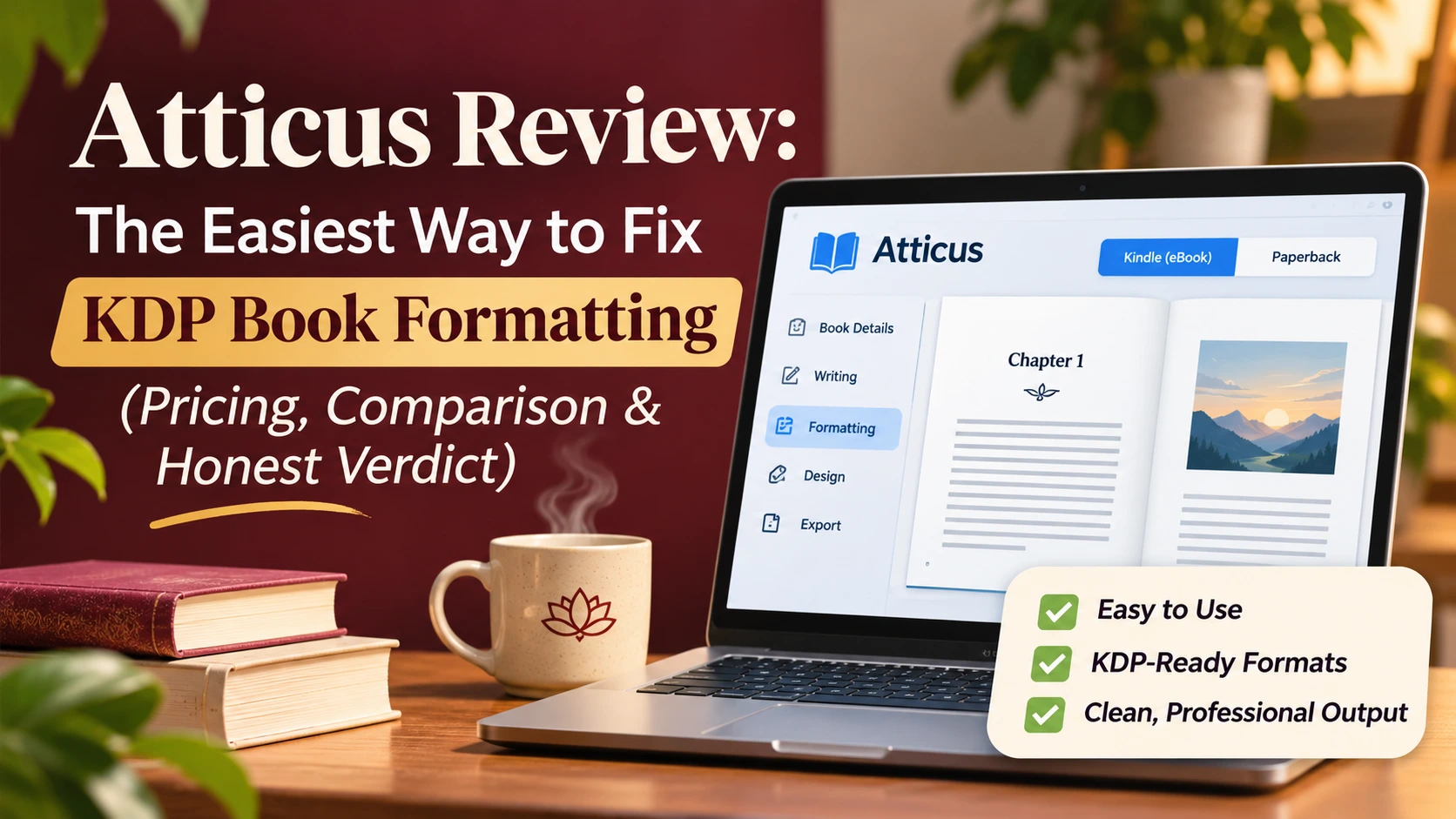
You finished your book. Now KDP keeps rejecting it.
Disclosure: This post contains affiliate links. If you buy Atticus through my link, I earn a small commission at no extra cost to you. I only recommend tools I use in my own publishing work.
Writing a book takes courage, patience and months of quiet focus. Then comes the part nobody warns you about: formatting. Margins that KDP calls “insufficient gutter”. A table of contents that breaks on Kindle. Page numbers that start on the wrong page. Fonts that look fine in Word and wrong in print.
I have formatted more than 300 books for KDP, Lulu, Barnes & Noble and BookVault, and published over 25 of my own. The single tool that removed most of that stress for me is Atticus. This review explains exactly what it does, what it costs, how it compares with Vellum, Kindle Create and Reedsy Studio, and whether it is right for you.
Quick answer: Atticus is a book writing and formatting app that costs $147 once, with lifetime updates and a 30-day money-back guarantee. It runs on Windows, Mac, Linux and Chromebook, and exports a print-ready PDF for KDP paperbacks plus an EPUB for Kindle and every other store. If you are on Windows, or you want one tool for both ebook and paperback without paying $249.99 for Vellum, Atticus is the best value in 2026.
Get Atticus here → Click here
A mindful note before we start: formatting stress is real, and it often hits right when you are emotionally spent from finishing the manuscript. Choosing a tool that does the technical work for you is not a shortcut. It is a way of protecting your energy for the parts of publishing that need you: your cover, your launch and your readers.
Why KDP book formatting is so frustrating
Most formatting problems come from using a word processor for a job it was never built for. These are the issues authors search for most, and the ones I see again and again in client files:
- “Insufficient gutter” or “content outside margins” rejections. KDP’s minimum inside margin grows with page count, so a margin that passed at 140 pages fails at 320. Authors on writing forums describe setting margins exactly as told and still getting rejected.
- Bleed confusion. Choose “bleed” in KDP without enlarging your PDF and the file is rejected. Choose “no bleed” with images to the edge and you get white strips after trimming.
- Broken Kindle table of contents. A TOC typed by hand in Word is not clickable on Kindle, and KDP flags it.
- Page numbers and headers in the wrong places. Front matter, blank pages and chapter openers each follow print conventions that Word handles badly.
- Two separate files to maintain. You need a reflowable ebook and a fixed print PDF. Fix a typo in one and you must remember to fix the other.
- Amateur-looking interiors. Cramped margins, inconsistent chapter headings and widows or orphans are some of the clearest signs of a self-formatted book.
- Expensive fixes. Freelance formatters typically charge per book, and you pay again for every revision or new edition.
The good news: every one of these is a settings problem, and dedicated formatting software handles the settings for you.
What is Atticus?
Atticus is an all-in-one book writing and formatting app built by Dave Chesson, the founder of Kindlepreneur and creator of Publisher Rocket. It launched in 2021 as a cross-platform alternative to Vellum, which only runs on a Mac.
You either write your book inside Atticus or import a finished Word file (.docx). You then pick a theme, preview the result on virtual Kindle, phone, tablet and print pages, and export:
- a print-ready PDF for KDP paperback and hardcover, IngramSpark, Lulu and other print services
- an EPUB for Kindle (KDP accepts EPUB uploads), Apple Books, Kobo, Barnes & Noble and Google Play
- a DOCX copy if your editor works in Word
Atticus is built as a Progressive Web App. That means it runs in your browser or as an installed app on Windows, Mac, Linux and Chromebook, and you can keep working offline. One honest caveat: Written Word Media notes that you need to be online to log in the first time and to export your files.
Atticus is not a publishing platform and does not upload to Amazon for you. It produces the files; you upload them to KDP yourself.
How Atticus solves each formatting problem
| Your problem | What Atticus does |
| Gutter and margin rejections | You choose a KDP trim size and Atticus sets print margins for you, so you are not calculating inside margins by page count. |
| Bleed errors | Full-bleed images are supported; in the theme builder you set an image to extend to the page edge. |
| Broken Kindle table of contents | The TOC is generated automatically from your chapters, clickable in the ebook. |
| Wrong page numbers and headers | Front matter, chapter openers and running headers follow print conventions automatically. |
| Two files to keep in sync | One manuscript produces both the EPUB and the print PDF, so a fix is made once. |
| Amateur-looking interior | 17 base themes with over 1,200 style combinations, plus a custom theme builder for drop caps, scene-break ornaments and chapter headings. Save a theme and reuse it across a series. |
| Non-fiction layouts | Footnotes, callout boxes, H2–H6 subheadings, volumes and parts, and large-print editions. |
| Working with an editor | Collaboration (added late 2024): co-authors edit, editors use track changes, beta readers comment. |
| Paying per book | One payment covers unlimited books and pen names. |
For a self-help or workbook author, callout boxes and multiple heading levels matter most. Exercises, key takeaways and reflection prompts look clean in both print and ebook without any manual layout work.
Other handy extras include device previews, writing goals that calculate your daily word target, built-in spell check, cloud backup, and iOS/Android-style text message blocks for fiction.
Atticus pricing in 2026
Atticus costs $147 as a one-time payment. There is no subscription and no per-book fee. That single price includes:
- unlimited books, ebooks and paperbacks
- every future update at no extra cost
- use on all your devices
- a 30-day money-back guarantee, no questions asked (Atticus refund policy)
There is no free trial. Atticus explains that because the writing editor is a full product on its own, a Vellum-style “use everything except export” trial does not work for them, so the 30-day guarantee replaces it (source).
What it really costs per book:
| Books you publish | Cost per book |
| 1 | $147 |
| 3 | $49 |
| 5 | $29.40 |
| 10 | $14.70 |
Compare that with paying a formatter for every title and every revision. If you plan more than one book, or a paperback plus an ebook, Atticus pays for itself quickly.
Buyers in India: the price is charged in US dollars, so your card may add a foreign transaction fee and GST may apply at checkout. $147 works out to roughly ₹12,000–13,000 before any card fee or GST, depending on the exchange rate. Check the final figure on the checkout page.
Check today’s Atticus price → Click here
Atticus vs Vellum vs Kindle Create vs Reedsy Studio vs Word
Atticus is the best all-round choice for most self-publishers in 2026: it is $100 cheaper than Vellum with print included, works on any computer, and outputs files for every store, not just Amazon.
| Tool | Price (USD) | Runs on | Print PDF | EPUB for all stores | Best for |
| Atticus | $147 once | Windows, Mac, Linux, Chromebook | Yes | Yes | Most indie authors, especially on Windows |
| Vellum | $199.99 ebook only; $249.99 with print | Mac only | Press tier only | Yes | Mac users who want the most polished fiction look |
| Kindle Create | Free | Windows, Mac | KDP paperback only | No (KPF file is Amazon-only) | Simple Amazon-only novels on zero budget |
| Reedsy Studio | Free (optional add-ons from $4.99/month) | Web browser, online only | Yes | Yes | Standard books, no budget, few design choices |
| Microsoft Word | Microsoft 365 subscription | Windows, Mac | Manual setup | Poor | Authors who enjoy fixing margins by hand |
Atticus vs Vellum. Vellum is excellent, but it is Mac-only and costs $249.99 if you want paperbacks. Its ebook-only licence is $199.99, and upgrading later costs extra. Atticus gives you print and ebook for $147 on any computer, plus a custom theme builder and large-print layouts. Vellum still has a slight edge in polished, ready-made fiction styles. If you are on Windows, the choice is simple: Vellum will not run. Kindlepreneur’s Vellum alternatives guide reaches the same conclusion for non-Mac authors.
Atticus vs Kindle Create. Kindle Create is free and fine for a plain novel sold only on Amazon. But its KPF file only uploads to KDP, so going wide means formatting again. It is also weaker on non-fiction elements like tables, lists and callouts, which self-help books rely on.
Atticus vs Reedsy Studio. Reedsy Studio is a genuinely good free option with strong real-time collaboration. The trade-offs are a small set of typeset templates, less control over design, and no offline use. If you want your book to look distinctive, or you write on the go, Atticus is worth the upgrade.
Atticus vs a formatting service. A service makes sense for one complex book you never plan to update. For a series, multiple editions or translations, a one-time tool costs less with every book.
The Prices are checked on 4 November 2026 from the linked sources. They may change over time.
Honest pros and cons
No tool is perfect, and you deserve a balanced view before you spend money.
What I love
- One payment, unlimited books, lifetime updates
- Works on Windows, Mac, Linux and Chromebook
- Print PDF and EPUB from one manuscript
- Custom theme builder with reusable themes for a series
- Strong non-fiction support: callout boxes, footnotes, subheadings, large print
- 30-day money-back guarantee removes the risk
What could be better
- The writing editor is basic; many authors still draft in Word, Google Docs or Scrivener and import
- No free trial (the refund window is the trial)
- You need an internet connection to log in initially and to export
- Some reviewers report occasional slow PDF exports or sync hiccups on very large books
- No AI writing features, if that matters to you
- Highly complex designs (cookbooks, photo-heavy children’s books) are still better in InDesign or Affinity Publisher
Atticus is right for you if:
- you use Windows or a Chromebook
- you want a paperback and an ebook without paying for two tools
- you plan more than one book, a series, or translated editions
- you write non-fiction or self-help with exercises, lists and callouts
- you want to sell beyond Amazon (Apple, Kobo, Google Play, IngramSpark)
Skip Atticus if: you only ever publish one simple Kindle-only novel (use Kindle Create free), or you own a Mac and want Vellum’s specific look and do not mind the higher price.
How to format a book for KDP with Atticus (step by step)
Here is the workflow I use for a self-help paperback and Kindle ebook. Most books take under an hour once your text is final.
- Finish and proofread your manuscript first. Formatting locks in your page count, so edits after this point cost time.
- Import your .docx. In Atticus, create a new book and import your Word file. Use Word’s Heading 1 style for chapter titles before importing, so Atticus splits chapters correctly.
- Check the chapter list. Drag chapters into order, and mark front matter (title page, copyright, dedication) and back matter (about the author, also by).
- Pick a theme. Choose one of the built-in themes, or open the theme builder to set fonts, drop caps, scene breaks and chapter headings. Save it if you are writing a series.
- Add non-fiction elements. Insert callout boxes for exercises or key ideas, subheadings, footnotes and images.
- Choose your trim size. For self-help and non-fiction, 6 x 9 inches is the common choice; for novels, 5 x 8 or 5.5 x 8.5 inches.
- Preview on every device. Check the Kindle, phone, tablet and print views. Look for awkward page breaks and stray blank pages.
- Export. Download the print PDF and the EPUB.
- Upload to KDP. Upload the EPUB for your Kindle eBook and the PDF for your paperback, using the same trim size you chose in Atticus.
- Run KDP’s previewer. Always check the online previewer before publishing, and order a proof copy for your first paperback.
That is it. No manual gutter maths, no hand-built TOC, no second file to maintain.
Get Atticus now → Click here
KDP paperback formatting cheat sheet
Bookmark this whether or not you use Atticus. These are KDP’s minimums; staying a little above them is safer. Source: KDP – Set Trim Size, Bleed, and Margins.
| Page count | Minimum inside (gutter) margin | Minimum outside margin, no bleed | Minimum outside margin, with bleed |
| 24–150 | 0.375 in (9.6 mm) | 0.25 in (6.4 mm) | 0.375 in (9.6 mm) |
| 151–300 | 0.5 in (12.7 mm) | 0.25 in (6.4 mm) | 0.375 in (9.6 mm) |
| 301–500 | 0.625 in (15.9 mm) | 0.25 in (6.4 mm) | 0.375 in (9.6 mm) |
| 501–700 | 0.75 in (19.1 mm) | 0.25 in (6.4 mm) | 0.375 in (9.6 mm) |
| 701–828 | 0.875 in (22.3 mm) | 0.25 in (6.4 mm) | 0.375 in (9.6 mm) |
Other rules that trip authors up:
- Set trim size first. Margins depend on page count and bleed, so trim size comes before everything else.
- Bleed adds 0.125 in to the top, bottom and outside edge. A bleed PDF must be 0.125 in wider and 0.25 in taller than the trim size (KDP bleed guidance).
- Minimum font size is 7 pt, and all fonts must be embedded in the PDF.
- Most common US trim size is 6 x 9 inches.
- Upload single pages, not spreads.
- If KDP flags a problem, start with KDP’s paperback interior formatting guide.
Frequently asked questions
How much does Atticus cost?
Atticus costs $147 as a one-time payment with lifetime updates. There is no monthly fee and no per-book charge.
Does Atticus have a free trial?
No. Instead, Atticus offers a 30-day money-back guarantee. If it does not suit you, you can request a full refund within 30 days.
Does Atticus work on Windows?
Yes. Atticus runs on Windows, Mac, Linux and Chromebook, in a browser or as an installed app. That makes it the most popular Vellum alternative for Windows users.
Is Atticus good for Amazon KDP?
Yes. Atticus exports a print-ready PDF for KDP paperbacks and an EPUB that KDP accepts for Kindle eBooks. You choose a KDP trim size and Atticus handles the layout.
Is Atticus better than Vellum?
For most authors, Atticus is the better value: $147 with print included versus $249.99 for Vellum Press, and it runs on any computer. Vellum is a strong choice only if you use a Mac and prefer its ready-made styles.
Can I use Atticus for non-fiction and self-help books?
Yes. It supports callout boxes, footnotes, multiple heading levels, images and large print, which suits workbooks, guides and self-help titles.
Can I format a book for KDP for free?
Yes, with Kindle Create or Reedsy Studio. Kindle Create’s ebook file only works on Amazon, and both offer far less design control than Atticus.
Does Atticus upload my book to Amazon?
No. Atticus creates the files. You upload them to KDP, IngramSpark or any other platform yourself.
Can I use Atticus offline?
Mostly. You can write and format offline, but you need an internet connection to log in initially and to export.
Final verdict: is Atticus worth it in 2026?
Yes. For most self-published authors, Atticus is the smartest $147 you can spend on your book.
It removes the most stressful part of publishing: margin rejections, broken tables of contents and juggling two files. It works on whatever computer you own, produces both your paperback and ebook, and keeps paying off with every new book, edition or translation. With a 30-day money-back guarantee, the only real risk is not trying it.
Your book deserves to look as good as the effort you put into writing it. Let the software handle the margins, so you can get back to what matters: sharing your message with readers.
Ready to format your book the stress-free way?
Get lifetime access to Atticus for a one-time $147, with a 30-day money-back guarantee.
Get Atticus now → Click here
Have a question about formatting your book? Leave a comment below and I will help you out.
Sources and further reading
Official and independent references used to check the facts in this review (keep these as outbound links; they build trust with readers and AI search engines):
Amazon KDP (official)
- Set Trim Size, Bleed, and Margins
- Paperback bleed and font requirements
- Format your paperback interior
- Paperback and hardcover manuscript templates
Atticus (official)
Independent reviews and comparisons
- Kindlepreneur – Atticus Review
- Kindlepreneur – Atticus vs Vellum
- Kindlepreneur – Best Vellum Alternatives
- Reedsy – Atticus Review
- Reedsy – Vellum pricing explained
- Written Word Media – Atticus Review
- Publishing.co.uk – Atticus vs Vellum vs Kindle Create
- Reedsy Studio pricing
Note: Kindlepreneur is owned by the creator of Atticus, so read it alongside the independent reviews above.
Disclosure: This post contains affiliate links. If you buy Atticus through my link, I earn a small commission at no extra cost to you. I only recommend tools I use in my own publishing work.